Every embroidery shop has been there. A rush order comes in, a $5 digitizing file looks like a smart saving, and an hour later you are standing over a machine picking out a bird’s nest of thread.
The file price is the smallest number on the job. What a bad file really costs shows up in machine time, ruined blanks, and a customer who does not come back.
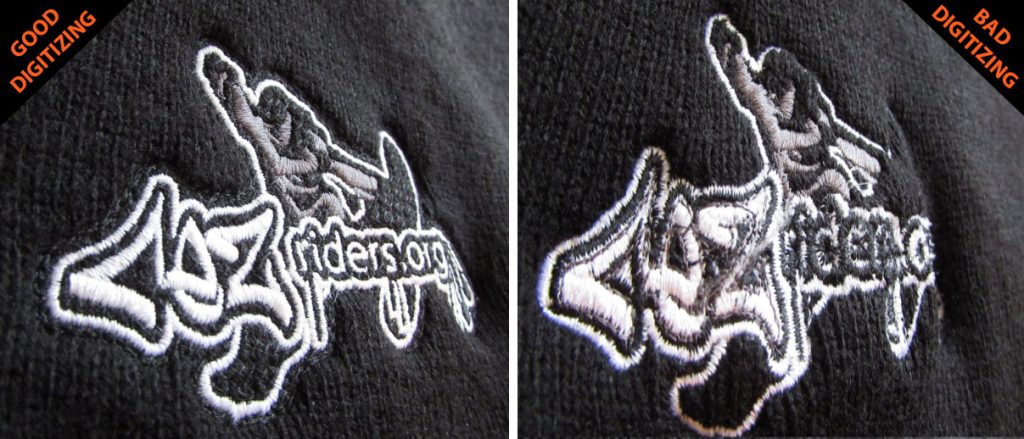
This guide walks through the seven problems we see most often when shops send us cheap or auto-digitized files to fix, what each one costs you, and how to spot them before the first stitch.
What a “Cheap” File Actually Costs
Here is a typical example for a 24-piece cap order. Swap in your own shop’s numbers and the result is usually the same.
| Cost line | Cheap file | Professional file |
|---|---|---|
| Digitizing fee | $5 | $12 to $25 |
| Test sew-outs before production | 3 to 4 | 1 |
| Thread breaks per cap | 4 to 6 | 0 to 1 |
| Ruined blanks (at $8 each) | 2 to 3 caps: $16 to $24 | 0 |
| Extra machine and operator time | 1.5 to 2 hours | Under 15 minutes |
| Re-digitizing after it fails | Often needed anyway | Free edits until it sews right |
On a single order, the “saving” of $10 to $20 is gone after the second ruined cap. On a repeat customer’s logo that you will run hundreds of times, the gap gets wider with every run.
7 Problems a Cheap Digitizing File Causes
1. Density That Ignores the Fabric
Auto-digitizing software applies one density to everything. A setting that looks fine on twill will bulletproof a performance polo and pucker a thin tee.
A professional digitizer adjusts density, underlay, and pull compensation for the garment you are actually running. Tell your digitizer the fabric when you order, and expect a file built for it.
2. Missing or Wrong Underlay
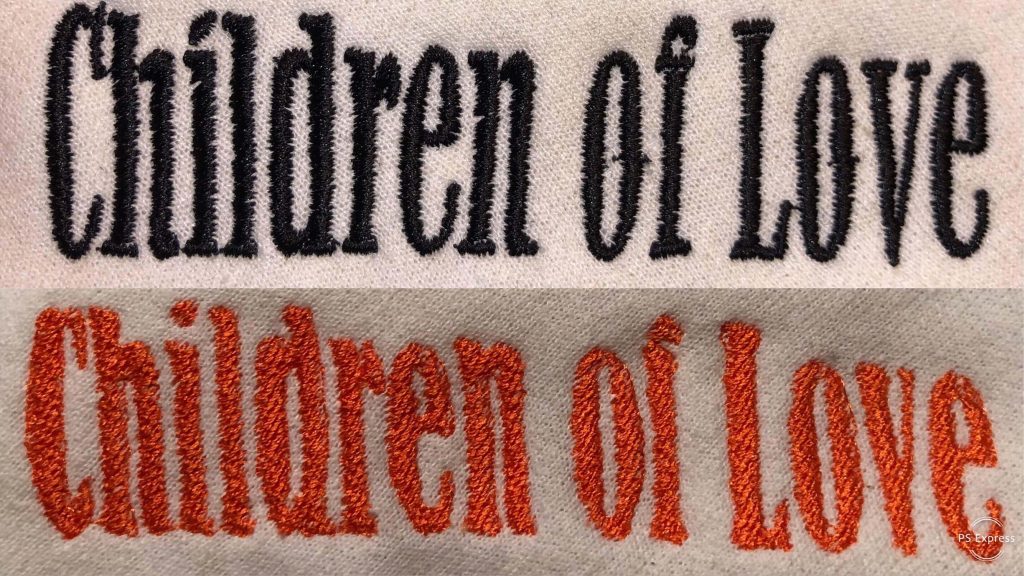
Underlay is the foundation stitch that holds fabric still before the top stitches go down. Cheap files often skip it or use one type for every shape.
Without it, satin columns sink into fleece, fills shift on piqué, and outlines stop lining up with the fills they should border.
3. Small Text That Turns Into Blobs
Lettering under about 5 mm tall (0.2 inch) needs hand-tuned satin widths and lighter density. Auto-traced text fills the gaps between letters, so “EST. 2019” sews as a smudge.
If your customer’s logo has a tagline, this is the first place a cheap file fails.
4. Too Many Trims and Jumps
A poor stitch path sends the needle back and forth across the design, trimming after every element. Each trim adds seconds, and each one is a chance for a thread break.
Good pathing travels under fills where possible and finishes one area before moving on. On a 12-head machine, that difference adds up to real hours on a big order.
5. Color Changes Out of Order
Cheap files often stop for the same color two or three times. That means extra stops, extra operator attention, and more chances for a missed change.
A clean file groups colors and runs them in a sensible order, background first and details last.
6. Caps Digitized Like Flat Goods
Caps need designs that sew from the center out and from the bottom up, so the fabric does not push and distort on the curved front. A flat file run on a cap frame gives you gaps, wavy outlines, and logos that sit crooked.
Cap work is its own skill, so always tell your digitizer the file is for a cap. See our cap embroidery digitizing page for how we handle it.
7. Puff That Does Not Cover the Foam
3D puff needs higher density, wider satins, and end caps that cut the foam cleanly. A standard file over foam leaves foam poking through the stitches and ragged edges.
Our 3D puff embroidery digitizing page shows what a proper puff file looks like.
How to Spot a Bad File Before You Run It
Open the file in your machine software or a free viewer and check these five things:
- Stitch count. A 3.5 inch left-chest logo usually lands somewhere around 6,000 to 12,000 stitches. Far above that often means the density is too high.
- Trim count. Dozens of trims on a simple logo point to poor pathing.
- Color stops. The same thread color appearing in more than one stop means the sequence was not planned.
- Small lettering. Zoom in on text under 5 mm. If letters touch or fill in on screen, they will on the garment too.
- Underlay. Turn on the stitch simulator and watch the first pass of each shape. No underlay running first is a warning sign.
If a file fails two or more of these checks, fix it before production, not after.
Frequently Asked Questions
Is auto-digitizing ever good enough?
For a simple, single-color shape on stable fabric, sometimes. For logos with small text, gradients, caps, or puff, a hand-digitized file pays for itself on the first run.
How much should professional digitizing cost?
Most professional services price by size or placement. At XcellentPlus, digitizing starts at $12, and you get a quote before any work begins. See our pricing page for the full list.
What if a professional file still does not sew right?
It should be fixed for free. We edit files at no charge until they sew correctly on your machine.
Which file formats can I get?
DST, PES, EXP, JEF, VP3, HUS, XXX, DSB, and any other format your machine needs.
Who owns the file?
You do. Once it is paid for, the file is yours to reuse on every reorder.
The Bottom Line
A cheap file is only cheap until it reaches the machine. If you are running a logo more than once, or on caps, puff, or performance wear, the file is the last place to save money.
Send us one logo that gave you trouble. We will digitize it within 24 hours, with same-day rush available, and keep editing until it sews clean on your machine. Get a quote or see our embroidery digitizing services.